Skip to content

UNLOCKING A NEW ERA OF PROJECT MANAGEMENT EXCELLENCE

Welcome to PMWEB 2025.1! Learn about our latest version, designed to elevate your project management experience. Whether you’re a seasoned user or just getting started, our goal is to help you harness the full power of PMWEB’s newest capabilities, streamline your workflows, and maximize your productivity.

What’s New and Exciting in PMWEB 2025.1

Enhanced Costs Module 
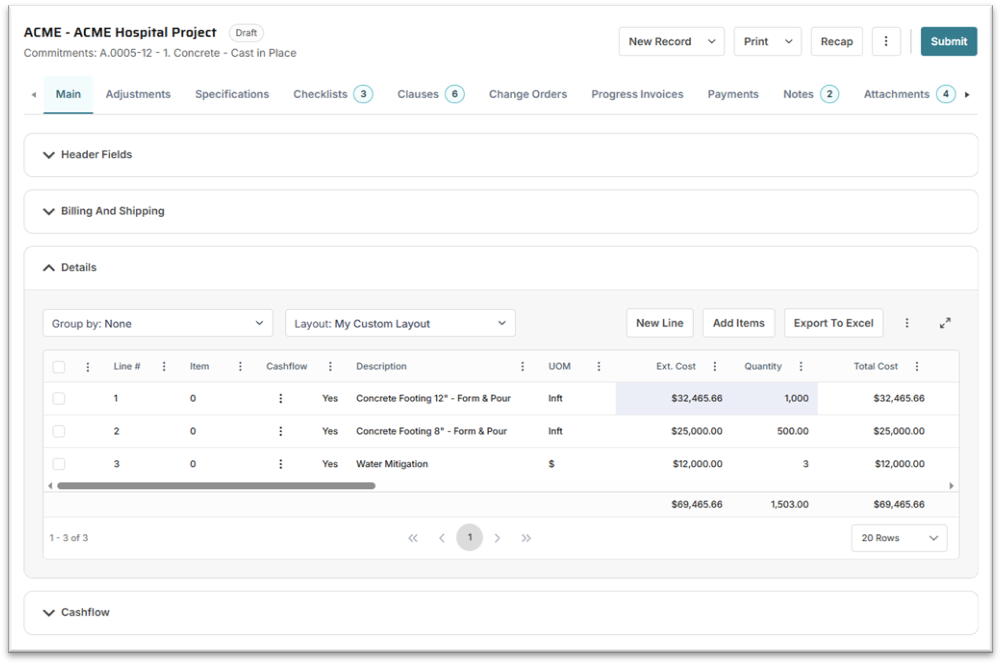
image001

Experience a completely refreshed Costs module! All record types and dialogs now feature a modern interface, making navigation more intuitive, organization clearer, and daily use more enjoyable. The new design ensures you can manage costs and income with greater ease and efficiency.

Streamlined Adjustments Tabs
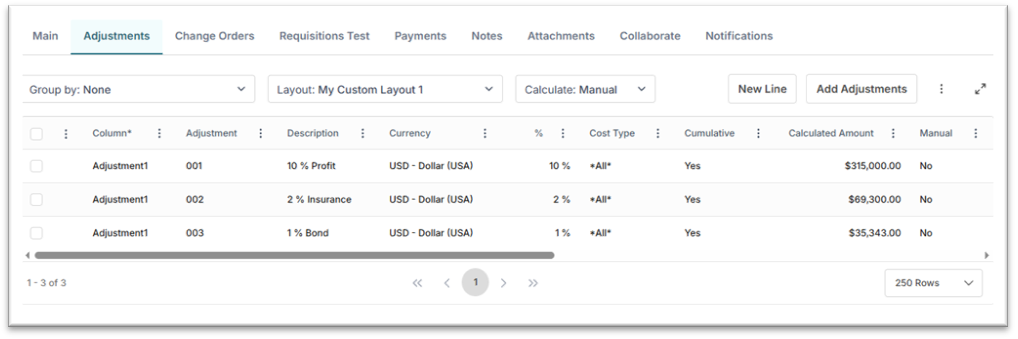
image003

Adjustments tabs have been redesigned for simplicity and speed. Creating and viewing adjustments is now faster and more straightforward, helping you stay focused on what matters most.

Powerful Adjustments Recap Dialog
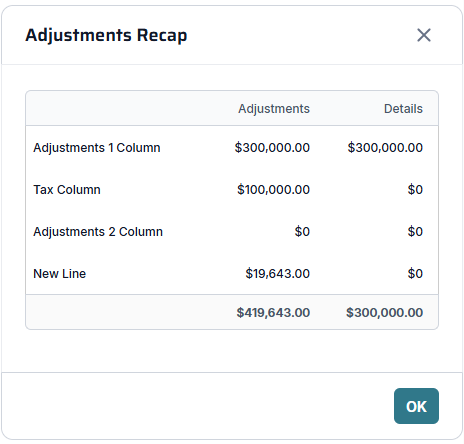
image005

Quickly compare adjustments on the tab with those posted to the Details table using the new Adjustments Recap dialog. This feature delivers instant clarity and helps you maintain accuracy in your financial records.

Transformed User Home Page
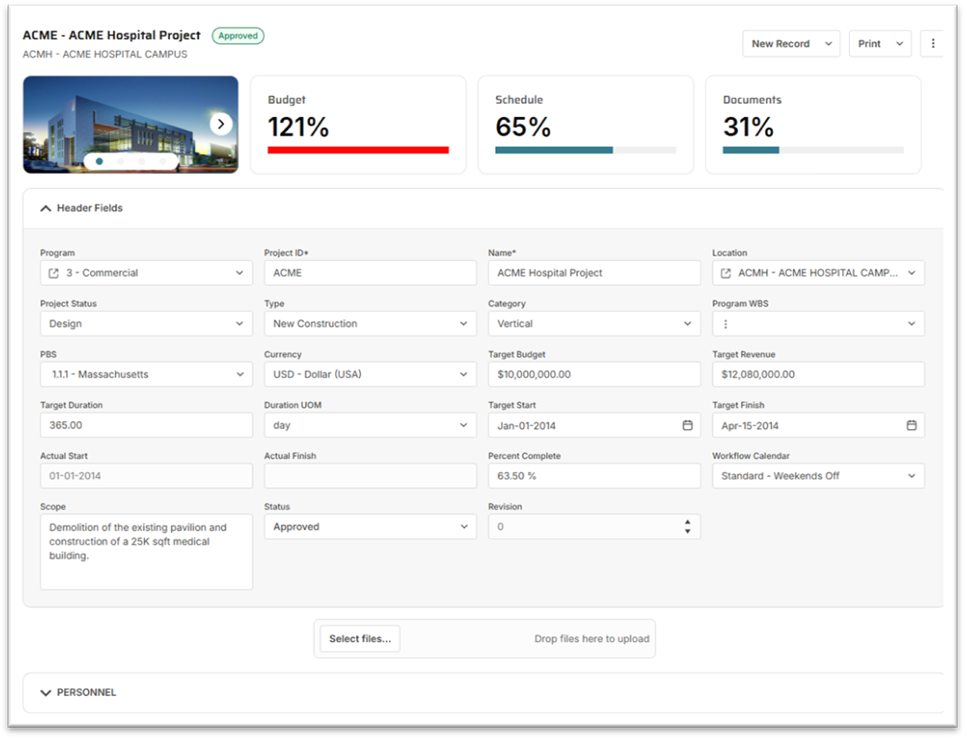
image008

Enjoy a major update to the system tabs on your home page. The new layout offers a visually engaging and highly functional workspace, making it easier to access key project metrics and information at a glance.

Introducing Powerful New Features

Recap Dialog with Currency Visualization
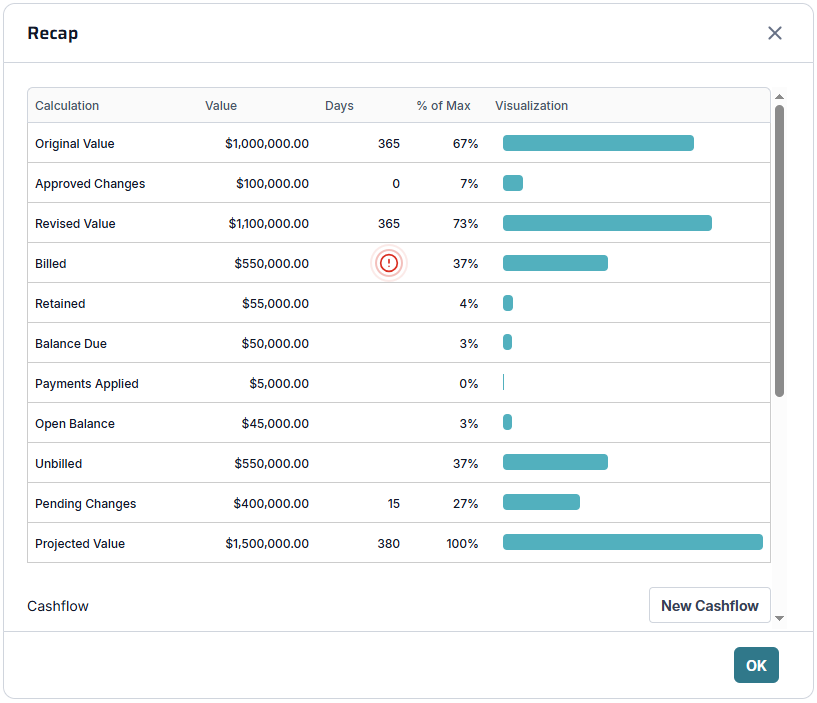
The new Recap dialog provides a comprehensive summary of your record’s currency totals. Visual graphs display proportional relationships, giving you instant insight into your financial data.

image009

Record-Level Cashflow Management

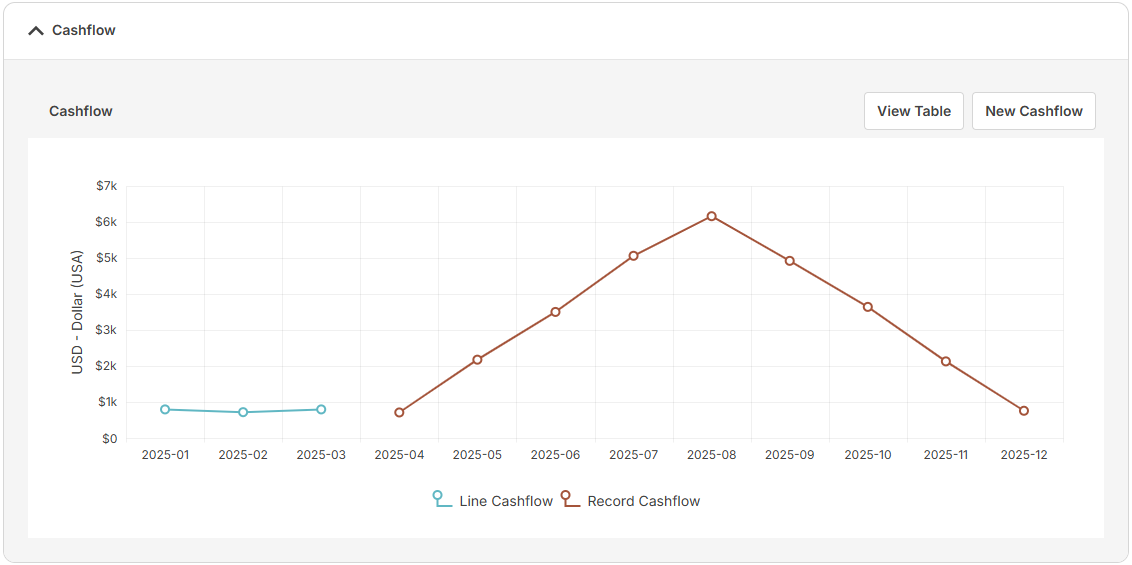
Generate cashflow at both the table line level and the record level. The new Cashflow section lets you view all cashflow elements linked to a record, either as a graph or in an editable table—empowering you to manage finances with precision.

image011

Redesigned Cashflow Dialog

The Cashflow dialog has been completely reimagined for simplicity and ease of use. Enter data, adjust parameters, and visualize outcomes—all in a streamlined interface.

Untitled (22)

Maximize Table Button

Most tables now feature a Maximize button. Expand tables to fill the entire page for focused work, then minimize when you’re ready to return to the regular view. This feature is perfect for users who want to concentrate on detailed data without distractions.

Untitled (23)
PMWEB 2025.1 is packed with enhancements and new features that make project management smarter, faster, and more enjoyable. We’re committed to continuous improvement and delivering tools that help you achieve your goals. Contact your PMWEB representative for more information about these updates, personalized training, or to share your feedback. We look forward to supporting your success with PMWEB!